 dsale@topsfp.com
 русский
 English
 español
 العربية
 中文
中文



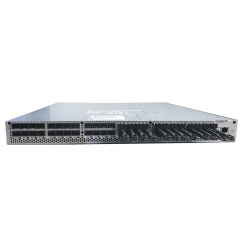
ConnectX-7 and ConnectX-8 are network adapters, not GPUs
NVIDIA ConnectX-7 and ConnectX-8 are networking products used to connect servers, storage, switches, and AI or high-performance computing fabrics. They are not GPU accelerators, although they can be deployed alongside GPUs in an AI cluster. A clear design separates three roles: GPUs perform accelerated compute, network adapters connect the server to the fabric, and switches and optical or cable infrastructure carry traffic between systems.
This guide replaces a broad “CX7, CX8 and GPUs technological iteration” article with a selection and deployment process based on NVIDIA’s current public documentation. It does not claim that one adapter generation is universally the right choice. The correct selection depends on the exact server, PCIe and OCP capability, required protocol, port count and speed, fabric design, optics or cable plan, software and firmware support, power and airflow, and target workload.
Start with the workload and fabric role
Define what the server must do in the network. An AI training or inference cluster, a storage system, a high-performance computing environment, and a general enterprise service can have different traffic patterns, latency needs, security requirements, and redundancy models. Record the required Ethernet or InfiniBand protocol, expected per-server throughput, number of ports, switch topology, oversubscription policy, storage paths, and planned growth.
NVIDIA describes its ConnectX family as Ethernet adapters supporting a range of speeds, and identifies ConnectX-7 as providing up to four ports and 400Gb/s connectivity in supported configurations. NVIDIA also describes ConnectX-8 SuperNIC products as supporting up to 800Gb/s throughput. These are product-family capabilities, not interchangeable specifications for every orderable adapter. The precise SKU, port type, speed, protocol, and host requirements must be checked in the relevant user manual and data sheet.
Do not select an adapter solely because its peak rate is higher. A fabric design must confirm that the server PCIe interface, CPU platform, NIC port count, switch ports, cable or optics, and congestion-control plan can sustain the intended workload. An unmatched adapter can create an expensive bottleneck or an unsupported configuration rather than a useful upgrade.
Confirm the server interface and form factor
Network adapters are installed as PCIe cards or, for some designs, as OCP cards. NVIDIA’s ConnectX-7 documentation describes stand-up PCIe and OCP 3.0 form factors across its adapter family. Before choosing a product, verify the server’s supported form factor, slot dimensions, PCIe generation and lane width, available power, airflow direction, riser compatibility, and vendor qualification list.
ConnectX-7 documentation also highlights that the family includes variations in ports, connectors, protocols, and host interfaces. The exact orderable part number—not the family name—must be used for procurement and installation. Check the adapter manual’s ordering table, supported interfaces, power and thermal requirements, firmware compatibility, and the server vendor’s support matrix.
Do not install a high-performance adapter in an unqualified system or an unsuitable PCIe slot. NVIDIA’s documentation warns that adapter operation depends on correct power and airflow. Confirm the rack and server cooling design, the orientation and bracket requirements, and whether the platform offers the expected PCIe capability before the change window.
Plan the network ports and media
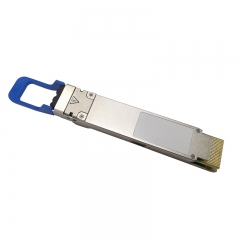
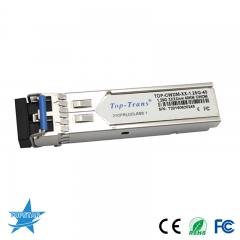
Identify the adapter’s physical networking connector and the corresponding switch port. ConnectX-7 variants can use connectors such as QSFP112 or OSFP depending on the SKU and application. The selected cable or optical transceiver must match the adapter and switch interfaces, target Ethernet or InfiniBand protocol, required rate, route length, lane architecture, and host support.
For short server-to-switch routes, the design may use direct-attach copper or active optical cables when the length, port type, and platform guidance are compatible. For structured cabling or longer routes, select pluggable optics and fiber infrastructure based on the exact interface and link budget. Map the full route—including cable assemblies, patch panels, connectors, fiber type and count, polarity, and connection loss—before ordering media.
Do not infer breakout support from connector appearance. NVIDIA notes port-splitting capabilities for ConnectX-7, but the viable configurations depend on the adapter, switch, cable or optics, and software. Confirm the exact port-splitting mode and peer requirements in the adapter and switch documentation, then test a representative configuration before rollout.
Use the right software and firmware combination
Hardware selection is incomplete without software planning. Record the target operating system, driver stack, firmware version, management tools, network operating system, and any required platform-specific settings. NVIDIA publishes firmware resources for ConnectX adapter families, including ConnectX-7 and ConnectX-8. Use the vendor’s supported version matrix and change-control process; do not update firmware only because it is the newest file available.
Check protocol and feature requirements explicitly. Features such as Ethernet or InfiniBand mode, RoCE behavior, storage offloads, security capabilities, timing, port splitting, and congestion controls can depend on the adapter, firmware, host driver, and network configuration. Define the required features for the workload and verify them on the chosen SKU before committing to volume deployment.
For an AI cluster, align NIC configuration with the cluster networking design. Verify that server-side adapter ports, switch interfaces, fabric protocol, management plane, and monitoring approach are coordinated. A GPU-equipped server will not automatically achieve the expected scale-out performance if the network is undersized, misconfigured, or operationally unverified.
Commission the adapter and fabric link
- Confirm the exact adapter SKU, server model, PCIe or OCP slot, power and airflow conditions, and approved firmware and driver versions.
- Verify the switch ports, selected protocol, cable or optical media, route, link budget, and any breakout or port-splitting plan.
- Install the hardware following the manufacturer and server-vendor procedures; label adapter ports and peer connections.
- Apply the approved firmware, driver, and network configuration; confirm the expected port speed and operational state.
- Validate error counters, link stability, congestion behavior, and traffic appropriate to the target workload.
- Record the adapter identifier, server slot, firmware, driver, port mapping, media, switch peer, and acceptance result.
Procurement checklist
A technical request should identify the target workload, required protocol, exact server platform, PCIe or OCP constraints, desired adapter SKU or approved alternatives, port count and speed, connector type, switch peer, media and route, environmental limits, firmware and driver requirements, management and security features, quantity, labeling, and acceptance test. For mixed-vendor servers, require written confirmation of the host and adapter support condition.
The useful outcome is a validated AI or data-center network interface, not a generic “CX7/CX8 upgrade.” Treat the adapter, server, fabric, media, and software as one engineered system and retain the evidence needed to operate it over its lifecycle.
